In the fast-paced world of computing, efficiency is everything. One behind-the-scenes process that keeps systems running smoothly is data spooling—a technique you’ve likely never noticed but rely on daily. From printing documents to managing background tasks, spooling quietly queues data so your computer doesn’t stall. But as with any system that handles data, spooling in cyber security presents both benefits and vulnerabilities.
Understanding what is data spooling in cyber security isn’t just for IT pros—it’s essential for anyone managing digital workflows or safeguarding sensitive information. In this article, we’ll break down how spooling works, why it matters for security, and what risks you should watch for.
Understanding Data Spooling: Definition and Purpose
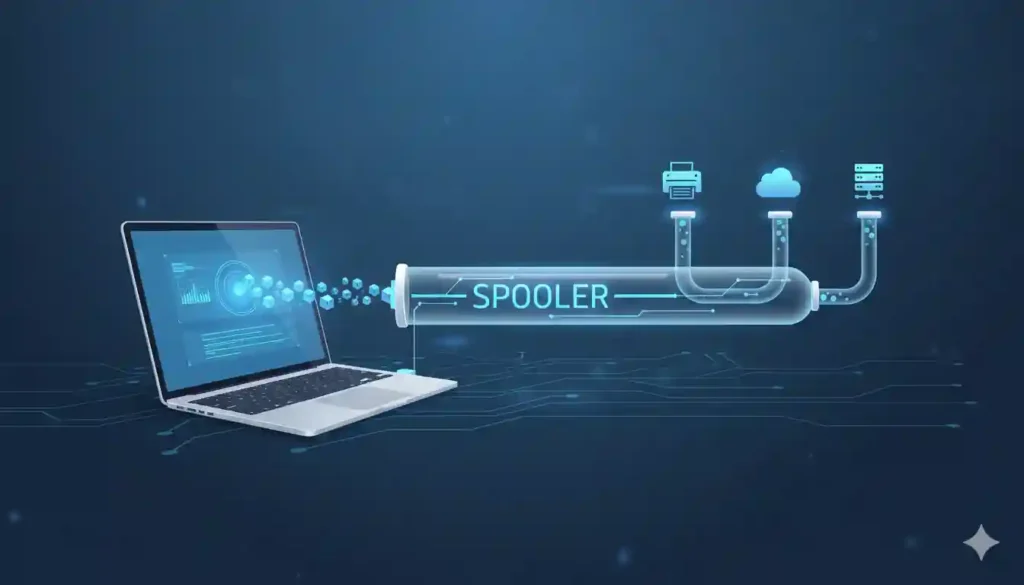
At its core, data spooling (Simultaneous Peripheral Operations On-Line) is a buffering mechanism that temporarily stores data for use by a slower device or process. Think of it like a waiting room: instead of making your CPU wait for a printer to finish, the system “spools” the print job into a queue and moves on to other tasks.
This technique originated in the 1960s but remains vital today—especially in multi-user environments like enterprise servers, cloud platforms, and even your home office setup. Common examples include:
- Print spooling (most widely recognized)
- Email queuing
- Batch job processing in databases
Spooling improves system performance by decoupling fast and slow operations, allowing parallel processing and reducing idle time.
How Spooling Works in Modern Operating Systems
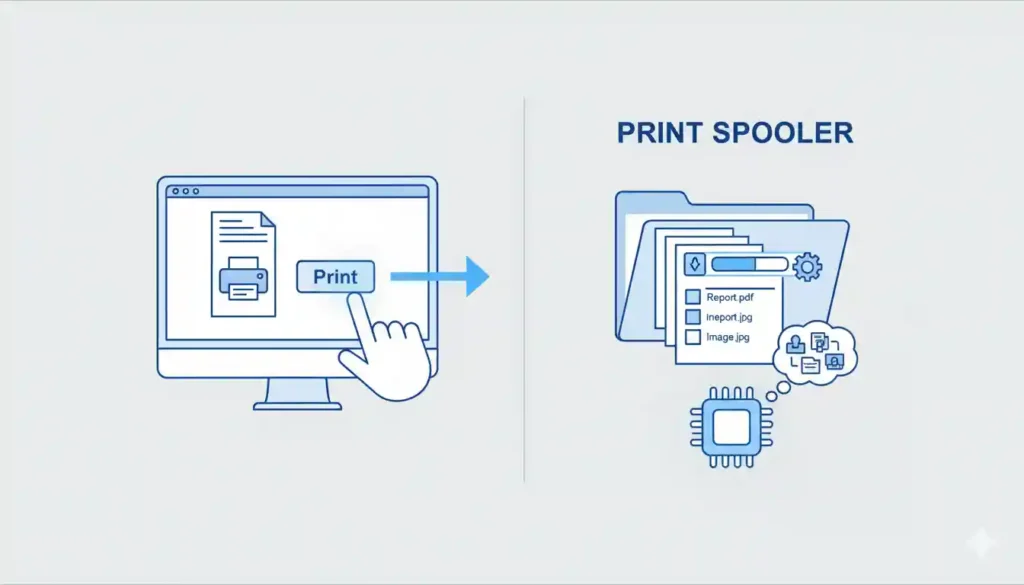
Modern operating systems like Windows, Linux, and macOS all use spooling services—often invisibly. For instance, Windows uses the Print Spooler service (spoolsv.exe) to manage print jobs. When you send a document to print, it’s converted into an intermediate format (like EMF or XPS) and stored in a spool directory (C:\Windows\System32\spool\PRINTERS).
But spooling isn’t limited to printing. In cybersecurity contexts, spooling can also refer to:
- Log file buffering before sending to a SIEM (Security Information and Event Management) system
- Temporary storage of encrypted data during transmission
- Queuing of authentication requests in identity management systems
The key principle remains: store now, process later—but this “store” phase is where security risks can emerge.

Cyber Security Risks Associated with Data Spooling
While spooling enhances efficiency, it introduces critical attack surfaces if not properly secured. The most notorious example is the PrintNightmare vulnerability (CVE-2021-1675 and CVE-2021-34527), which exploited the Windows Print Spooler to allow remote code execution—essentially letting attackers take full control of a system.
Why is spooling risky?
- Temporary files may contain sensitive data (e.g., unredacted documents, credentials)
- Spooler services often run with high privileges (SYSTEM-level access on Windows)
- Default configurations may allow remote spooling, exposing internal systems to external networks
- Lack of encryption in spool directories can lead to data leakage
Organizations that leave spooling services enabled unnecessarily—especially on domain controllers—invite serious compromise. Microsoft has since issued guidance to disable the Print Spooler where not needed, highlighting how a routine function became a top-tier threat.
Best Practices to Secure Spooling Processes
Mitigating spooling-related risks doesn’t mean abandoning the technology—it means applying defense-in-depth principles:
- Disable unnecessary spooler services: If a server doesn’t need printing, turn off the Print Spooler.
- Restrict remote spooling: Use Group Policy or firewall rules to block inbound spooler traffic (port 445/SMB).
- Encrypt spool directories: Ensure temporary files are protected at rest, especially on shared systems.
- Apply patches promptly: Many spooling exploits target known, unpatched vulnerabilities.
- Monitor spooler activity: Use endpoint detection and response (EDR) tools to flag anomalous spooler behavior.
For enterprises, consider isolating print servers in a separate VLAN and implementing least-privilege access controls. Regular audits of spool directories can also reveal misconfigurations or unauthorized data retention.
FAQs
Q: How does spooling improve system performance?
A: By allowing the CPU to offload slow tasks (like printing) to a background queue, spooling prevents bottlenecks and enables multitasking.
Q: What are common examples of spooling in operating systems?
A: Print jobs, email delivery queues, batch script execution, and log buffering are all standard uses.
Q: Can spooling be exploited by attackers?
A: Yes—especially when spooler services run with elevated privileges or accept remote requests without authentication.
Q: Is print spooling a security risk?
A: It can be, as seen in PrintNightmare. Unpatched or misconfigured print spoolers are prime targets for lateral movement in networks.
Q: How to secure spooling processes in enterprise networks?
A: Disable unused services, segment networks, apply encryption, and maintain rigorous patch management.
My Opinion: Why Spooling Deserves More Attention in Cyber Security
As someone who’s tracked cyber threats for over a decade, I’m continually surprised by how overlooked spooling remains in security discussions. It’s often dismissed as a “legacy” or “benign” function—until it’s weaponized. The PrintNightmare saga proved that even mundane system services can become zero-day goldmines when privilege, accessibility, and poor hygiene converge.
Organizations must shift from a “set-and-forget” mindset to continuous service hygiene. Every background process—spoolers included—should be treated as a potential entry point. In an era where attackers exploit the least suspicious components, what is data spooling in cyber security isn’t just a technical question—it’s a strategic one. Don’t wait for the next spooler-based breach to reevaluate your assumptions.